-
A-Logo

-
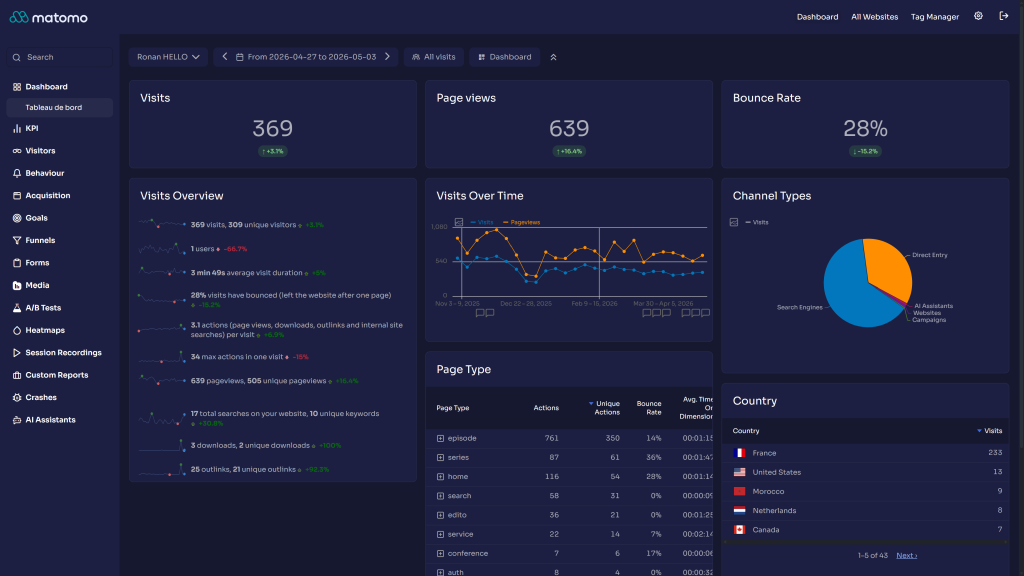
Dashboard
-
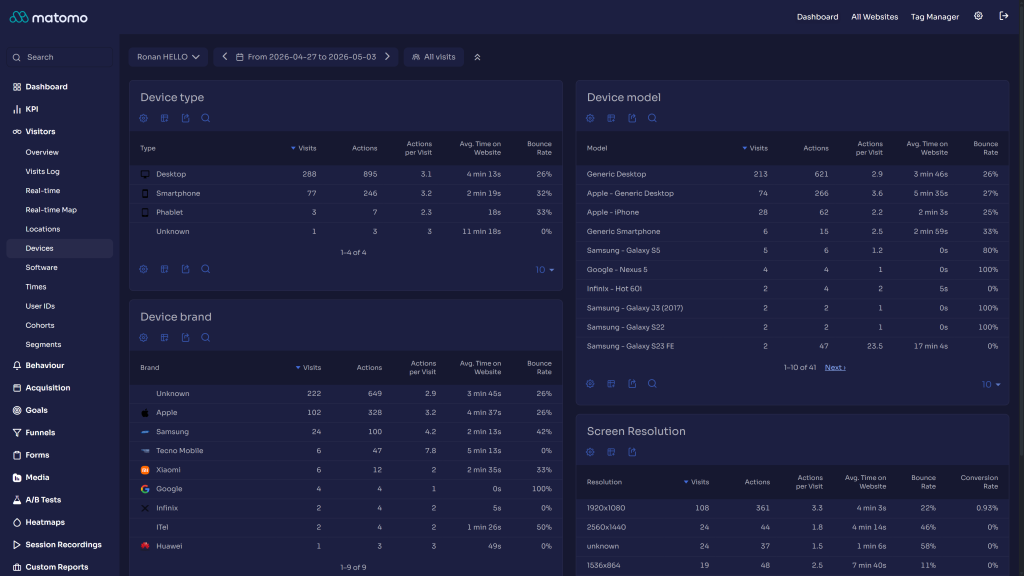
Devices
-
Visits logs
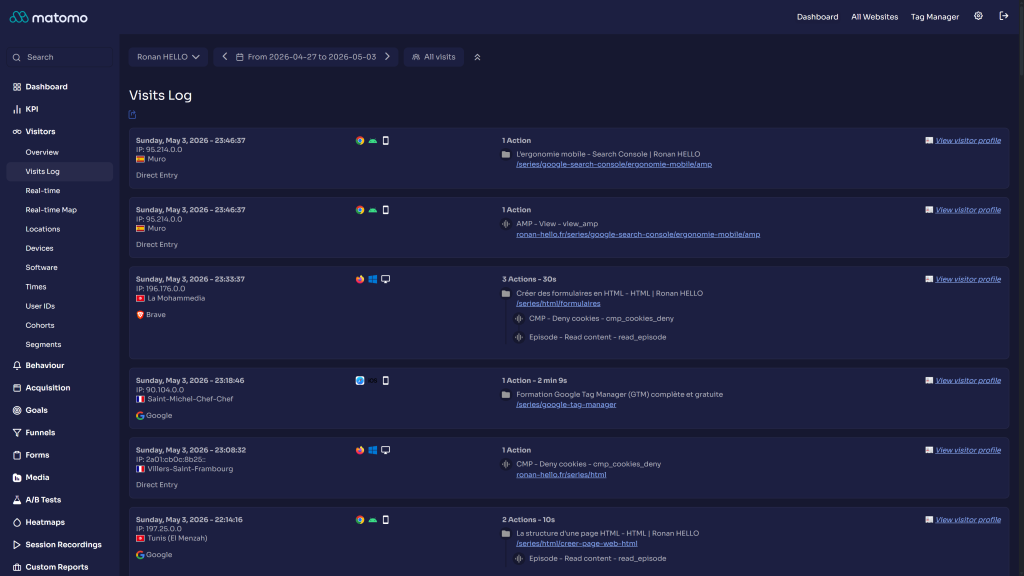
The Openmost Theme converts the Matomo interface to match the openmost.io brand. It plugs into Matomo's native theming engine (5.10+) to define a complete light and dark palette, then layers component-level LESS tweaks on top.
Design system
The dark palette is the canonical Openmost identity, lifted from openmost.io. The light palette is a sibling scale designed to feel native on white surfaces while keeping the same Openmost blue accent.
Token Light Dark Brand#426CDA
#426CDA
Background base
#F5F6FB
#161830
Surface (widgets)
#FFFFFF
#1C1F41
Surface hover
#ECEFF8
#282A4B
Text primary
#1C1F41
#FFFFFF
Text secondary
#4A5169
#AEAFBB
Border
#E5E7F0
#1C1F41
Chart base
#DC3545
#DC3545
openmost.io is dark-only by design. The light variant adapts the same brand vocabulary (Openmost blue, Sora, 1rem radii) for users who prefer light mode in their analytics tool.
Typography: Sora, shipped with the plugin (variable + static weights).
Shape: 1rem corner radius on widgets and form controls, 1.5rem default padding.
File structure
OpenmostTheme/
├── OpenmostTheme.php          # Registers theme variables (light + dark arrays)
├── plugin.json                # Matomo metadata, requires >=5.10
├── fonts/Sora/                # Sora font files
├── stylesheets/
│   ├── theme.less             # Entry point — imports everything
│   ├── _root.less             # Openmost-specific tokens (radius, padding)
│   ├── _variables.less        # Re-exports _root for back-compat
│   ├── _fonts.less            # @font-face declarations for Sora
│   ├── layout/
│   │   └── _main.less         # Scrollbar styling
│   ├── pages/
│   │   └── _login.less        # Login screen tweaks
│   └── components/            # One file per overridden component
└── docs/                      # This documentation
How theming works
Matomo 5.10 ships a Plugin\ThemeStyles class with one property per theme color. Every property accepts either a single string or a [light, dark] array — Matomo emits the right CSS variable for each mode and switches via data-theme-mode plus prefers-color-scheme.
OpenmostTheme.php listens to the Theme.configureThemeVariables event and assigns [light, dark] arrays for every relevant property. The CSS files in stylesheets/components/ then consume those tokens with var(--theme-color-*), so the same component definition works in both modes.
Overridden components
Component overrides live in stylesheets/components/:
- Activity log, admin pages, alerts, copy-to-clipboard
- Custom reports, dropdowns, entity lists, funnels
- Form inputs, jqPlot charts, multi-sites
- Notifications, period selector, scheduled reports
- Segment editor, sidebar, tag manager, transitions report
- Visitor profile, visits log, widgets
Each file is intentionally small — the goal is a minimal diff against Matomo defaults.
Customizing the theme
You don't need to fork the plugin to tweak it. Override any --theme-color-* variable in a small companion plugin or in misc/user/user.css:
:root {
  --theme-color-brand: #00b4d8;
}

[data-theme-mode="dark"] {
  --theme-color-background-base: #0b0d24;
}
Openmost-only tokens are also available for shape adjustments:
:root {
  --o-component-border-radius: 0.5rem;
  --o-component-padding: 1rem;
}
Contributing
Contributions are welcome. Keep changes scoped to one component per file and prefer var(--theme-color-*) over hard-coded hex values so your edits keep working in both light and dark modes.
How do I install this theme?
Open your Matomo administration panel, go to Marketplace, filter by Themes, search for Openmost Theme, and install it. Then activate it in Personal → Settings → General Settings, or in System → General Settings to make it the default for the whole instance.
Which Matomo versions are supported?
Matomo 5.10 or newer. The theme uses the light/dark ThemeStyles array API introduced in 5.10. Older versions will silently render the dark palette only and may look incorrect in light mode.
Does it work with light mode?
Yes. The plugin defines a full light palette alongside the canonical Openmost dark palette. Use Matomo's theme switcher (Auto / Light / Dark) — Auto follows your operating system, so users can move between modes without changing settings.
The Openmost brand identity is dark-first, so the dark palette is the most polished. The light variant keeps the same brand blue and Sora typography but uses lighter surfaces designed to feel at home on white.
Will all users in my Matomo instance see this theme?
If you set it as the default in System → General Settings, yes — all users see it. Each user can also override the choice in their personal settings if you allow it.
Can I customize the colors?
Yes — every color is exposed as a Matomo --theme-color-* CSS variable. Override any of them in misc/user/user.css or in a small companion plugin. See docs/index.md for examples.
Does this theme add any features or change Matomo's HTML?
No. The theme is purely visual. It defines theme variables and adds CSS — it does not modify Matomo's HTML structure, JavaScript, or behavior. That keeps it compatible with every other Matomo plugin.
How can I contribute?
- Fork the repository, make your change in a small focused commit, and open a pull request.
- Or open an issue describing the problem or proposal.
- Email ronan@openmost.io for anything that doesn't fit GitHub.
How long will this theme be maintained?
It's used in production by Openmost and on every Matomo instance the team operates, so it follows Matomo's own release cadence as closely as possible. Security and compatibility fixes are prioritized.
I want a custom theme for my brand. Can you build one?
Yes. Openmost is a certified Matomo agency and builds custom themes and plugins for clients. Get in touch at https://openmost.io.
View and download this plugin for a specific Matomo version:
- Matomo 5.x (currently selected)
- Matomo 6.x