A Google Analytics inspired theme for Matomo, in light and dark mode.
Features
- Google Analytics look and feel: Material surfaces, the Google blue accent and clean spacing across dashboards, widgets and reports, familiar to teams coming from Google Analytics.
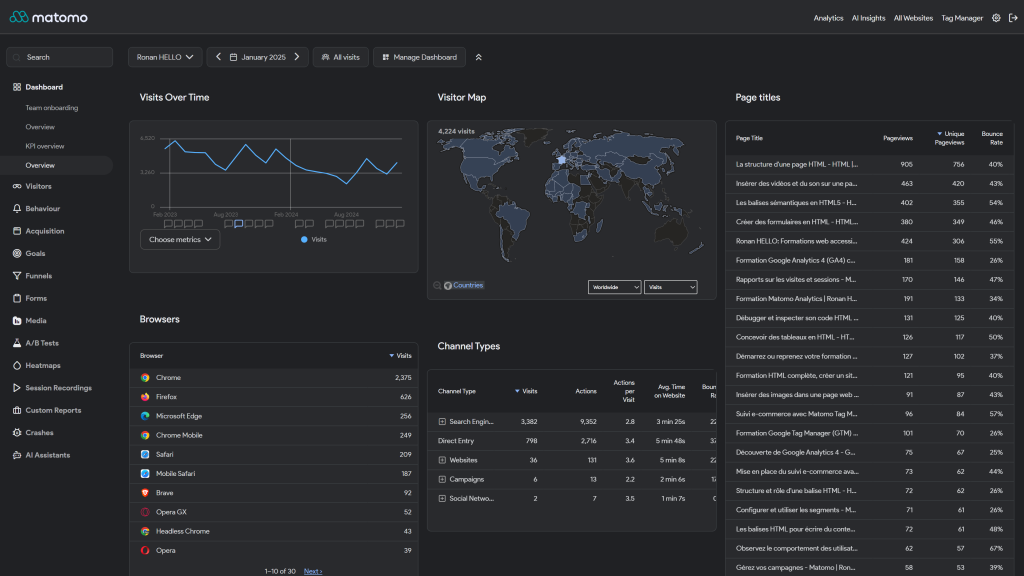
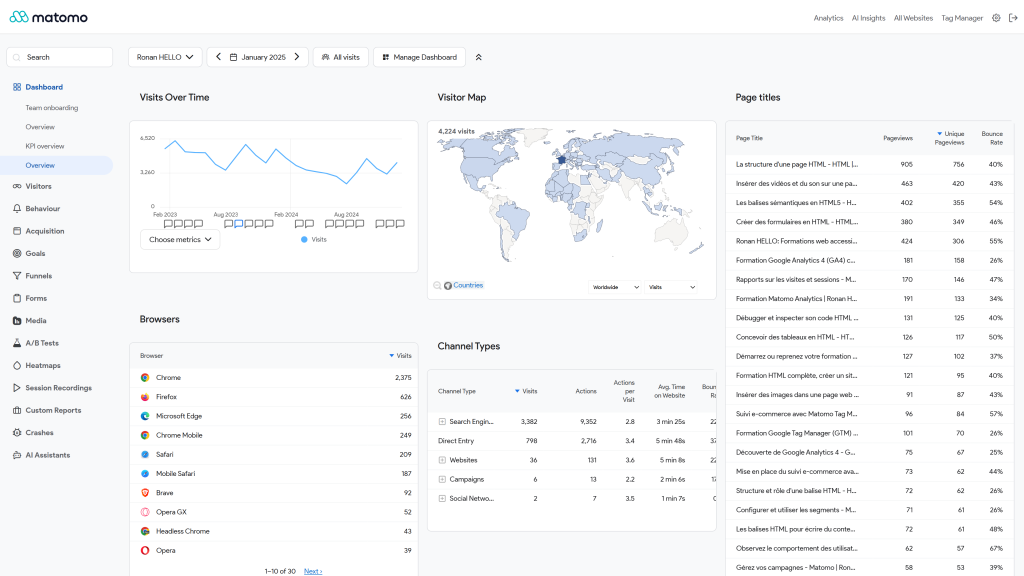
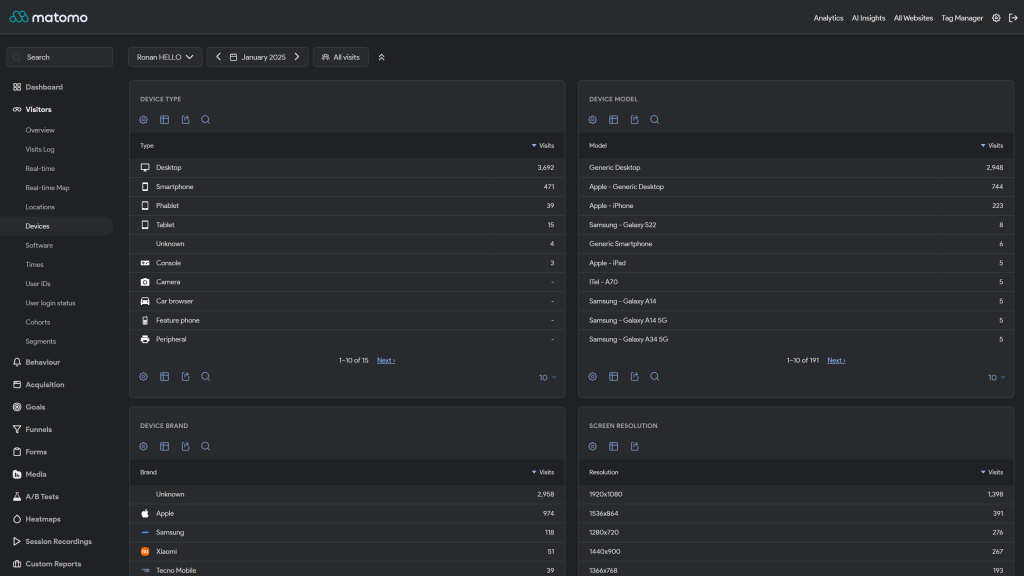
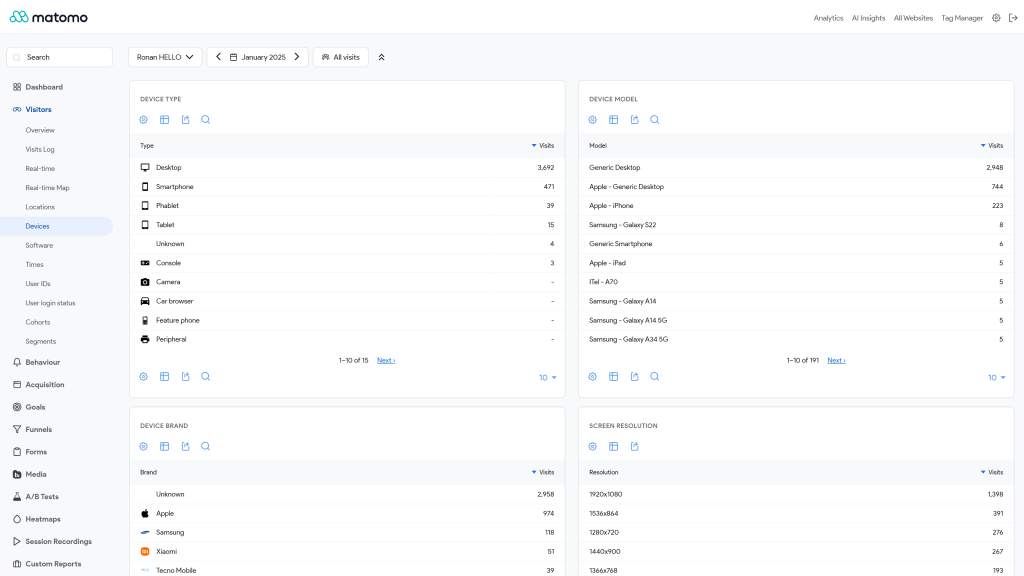
- Light and dark mode: both Matomo color schemes are mapped to Google's Material light and dark scales. Each user keeps choosing Light, Dark or Match browser in their personal settings.
- Google Sans typography: the Product Sans family is bundled with the theme, so no font is loaded from Google or any third party.
- Refined components: header, side menu, cards, dashboard widgets, alerts, buttons, sparklines, search and visitor log.
- Native theme API: colors are set through Matomo's
Theme.configureThemeVariablesevent as[light, dark]pairs, so core and third party plugins pick them up. - Purely visual: no JavaScript and no markup change. Deactivate the theme and Matomo returns to its default look.
Requirements
- Matomo 5.10.0 or later, up to Matomo 6 excluded (
>=5.10.0,<6.0.0-b1) - On Matomo 6, install Google Theme 6.x instead.
Installation / Configuration
- Go to Administration > Platform > Marketplace, filter by Themes and search for "Google Theme".
- Click Install, then Activate. A theme applies to the whole Matomo instance.
- Each user picks the light or dark mode in their personal settings.
There are no settings. To customize the colors, override the --theme-color-* CSS variables from your own plugin, or fork the theme. See docs/index.md.
Need help with Matomo?
Openmost is an official Matomo Implementation Partner. We also build custom Matomo themes in your own brand colours and fonts, on the official theme API, in light and dark mode.
-
Dashboard with the Google theme dark mode
-
Dashboard with the Google theme light mode
-
Devices reports with the Google theme dark mode
-
Devices reports with the Google theme light mode
-
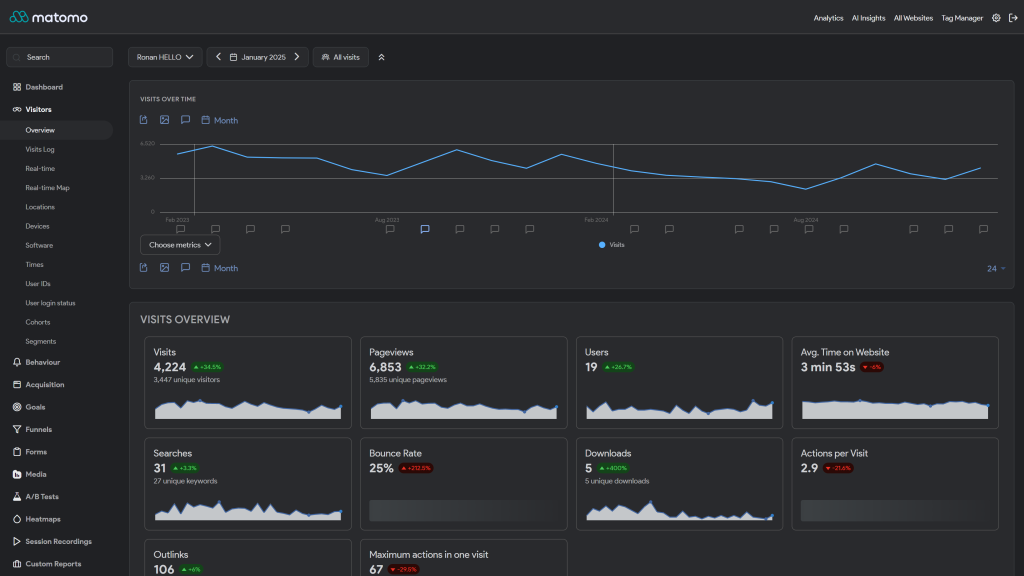
Visitors overview with the Google theme dark mode
-
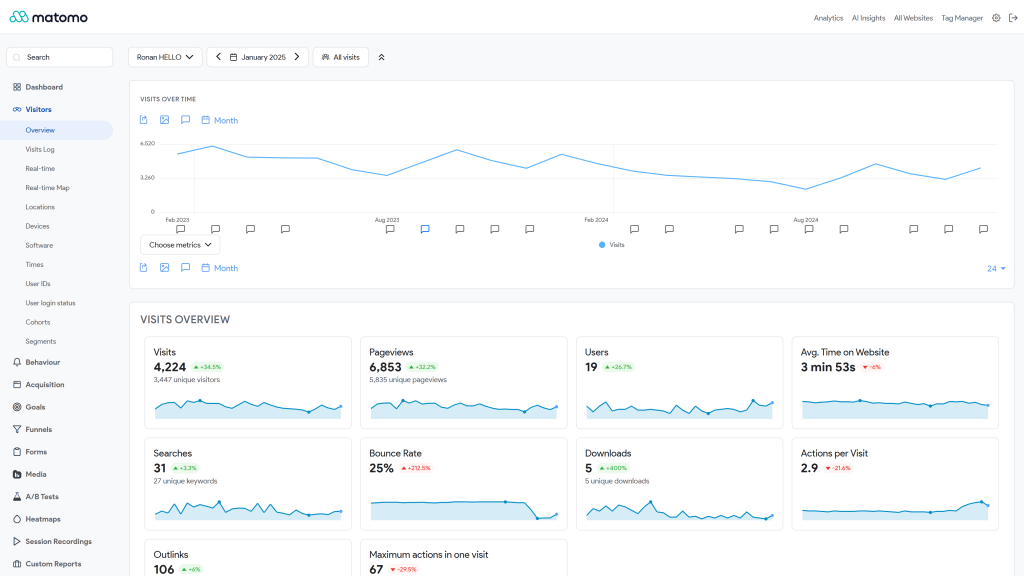
Visitors overview with the Google theme light mode
Google Theme is a Matomo theme plugin that re-skins the standard interface to look and feel like Google Analytics. It is purely visual: no HTML, behavior, or reporting logic is modified.
How the theme works
The theme hooks into Matomo's Theme.configureThemeVariables event to override the values of Matomo's built-in theme variables, colors, surfaces, borders, typography, focus rings, and so on. Because Matomo natively supports two color schemes, every variable is provided as a [light, dark] pair, which means dark mode is supported out of the box and follows whatever scheme the user picks in their settings.
On top of the variable mapping, a small set of LESS stylesheets refine specific components for a more cohesive Google-Analytics-style rendering.
File layout
GoogleTheme/
├── GoogleTheme.php         # Plugin class, maps Matomo theme variables to Google's palette
├── plugin.json             # Plugin metadata (version, Matomo compatibility, stylesheet entry)
├── stylesheets/
│   ├── theme.less          # Entry point, imports everything below
│   ├── _fonts.less         # Google Sans (Product Sans) @font-face declarations
│   ├── layout/
│   │   ├── _root.less      # CSS custom properties / root-level rules
│   │   └── _main.less      # Page-level layout adjustments
│   └── components/
│       ├── _admin_users_list.less
│       ├── _alert.less
│       ├── _button.less
│       ├── _card.less
│       ├── _header.less
│       ├── _menu.less
│       ├── _search.less
│       ├── _sparkline.less
│       ├── _visitor_log.less
│       └── _widget.less
├── fonts/                  # Bundled Product Sans font files (no external requests)
├── docs/
└── screenshots/
What is restyled
Component-level overrides live in stylesheets/components/:
- Header: top bar background, text color, alignment.
- Side menu: item spacing, hover and active states tuned to Google's selection style.
- Cards: page card surfaces and edges.
- Widgets: dashboard widget backgrounds, borders, and titles.
- Alerts: informational, success, warning, and error states.
- Buttons: primary, secondary, and icon button styles.
- Search (QuickAccess): top search input.
- Sparkline: recolored to fit the theme palette.
- Visitor log: entry styling for the live visitor view.
- Admin users list: table refinements in the admin section.
Color and typography
GoogleTheme.php defines:
- Brand color: Google blue (
#1a73e8) with a lighter variant for dark mode. - Light surfaces:
#ffffff,#f8f9fa,#f1f3f4,#e8eaed. - Dark surfaces:
#202124,#292a2d,#3c4043,#17181b. - Text scales: Google's Material text colors for both modes, including translucent variants in dark mode.
- Font:
"Google Sans", Arial, Helvetica, sans-serif. The Product Sans family ships with the theme underfonts/.
If you want to fork or customize the palette, those values are the place to start.
Contributing
The theme is deliberately split into small, focused LESS files. If you contribute, please:
- Keep new rules in the smallest relevant component file (or add a new one and import it from
theme.less). - Prefer Matomo's theme variables over hard-coded values when possible.
- Avoid changes to HTML structure or JavaScript, the theme stays purely visual on purpose.
- Test in both light and dark mode before opening a pull request.
Issues and pull requests: https://github.com/openmost/GoogleTheme.
How do I install the theme?
Google Theme is published on the official Matomo Marketplace and installs the same way as any plugin:
- Open the Matomo administration panel.
- Go to Marketplace and switch the filter to Themes.
- Search for Google Theme.
- Click Install, then Activate.
You can also install manually by copying the GoogleTheme folder into the plugins/ directory of your Matomo installation and activating it from the admin panel.
Which Matomo versions are supported?
Matomo 5.10.0 and later, up to but not including Matomo 6.x. The exact requirement is declared in plugin.json and enforced by Matomo at install time.
Does the theme apply to every user of my Matomo instance?
Yes. Matomo themes are instance-wide: once activated, every user sees the new look. Individual users cannot opt out, but they can still toggle between Matomo's light and dark color schemes from their personal settings, the theme supports both.
Does Google Theme support dark mode?
Yes. Every color variable is mapped to both Matomo color schemes, so the interface follows whichever mode the user has selected without any additional configuration.
Will it break my Matomo installation or any plugins?
No. The theme is purely visual, it overrides CSS variables and a small set of component styles via LESS. It does not modify HTML, JavaScript, or any reporting logic, so it should not conflict with other plugins. If you ever uninstall it, Matomo immediately falls back to the default theme.
Does the theme make external requests (e.g. for fonts)?
No. The Product Sans font family is bundled with the theme under fonts/ and served from your own Matomo instance. There are no requests to Google or any third party.
Can I customize the colors or fork the theme?
Absolutely. Color values and the font family are centralized in GoogleTheme.php, and component styles live as small LESS files under stylesheets/. Edit those, recompile via Matomo's normal asset pipeline, and you have your own variant. The theme is GPL v3+, so feel free to fork it.
How can I contribute?
- File issues or open pull requests on GitHub: https://github.com/openmost/GoogleTheme.
- Email: ronan@openmost.com.
Bug reports with screenshots (light and dark mode if relevant) and the affected Matomo version are especially helpful.
How long will the theme be maintained?
It is actively maintained by Openmost and used in production on several Matomo instances, so fixes for visible regressions usually land quickly. Compatibility updates follow each new Matomo major release.
View and download this plugin for a specific Matomo version:
- Matomo 4.x
- Matomo 5.x (currently selected)
- Matomo 6.x