A modern dark theme for Matomo, applied to every user of the instance.
Features
- Dark for every user: Matomo 6 lets each user pick a light or dark mode. Dark Theme gives the whole team the same dark interface, whatever mode each user picked. The theme mode option is hidden from the personal settings while the theme is active, as it has no effect.
- Complete coverage: every screen, widget, modal and component is styled, including browser controls (scrollbars, form fields, date pickers).
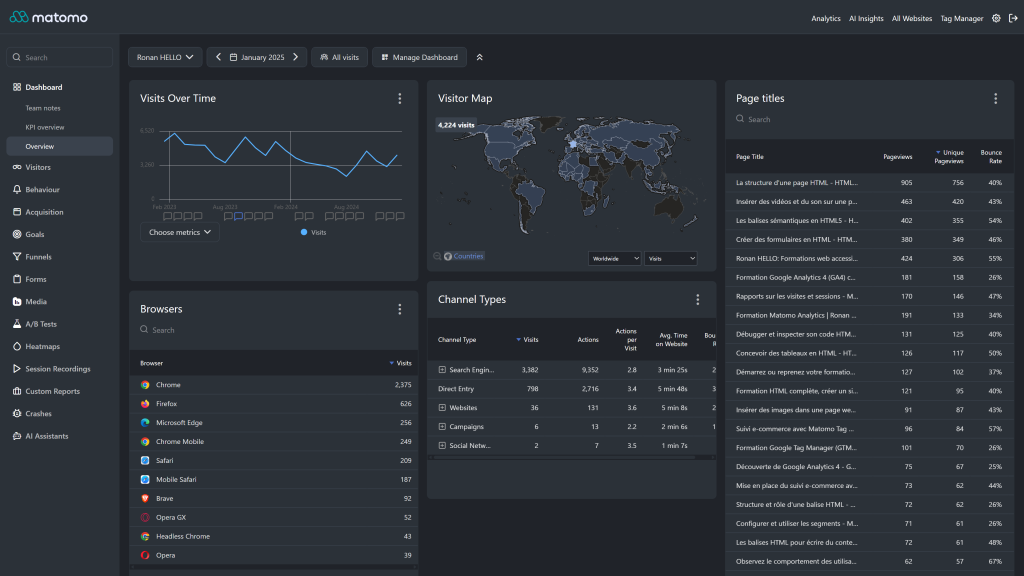
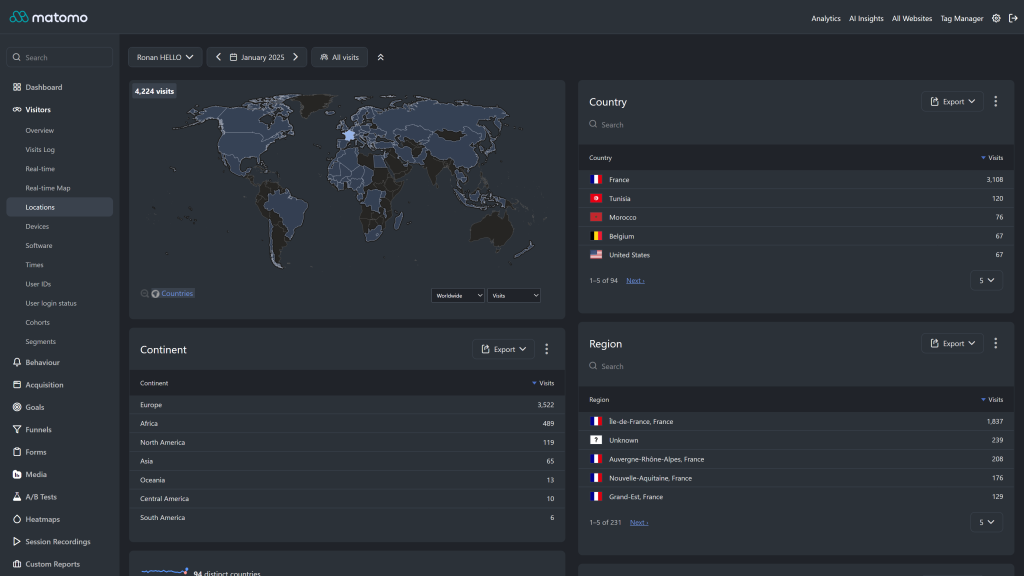
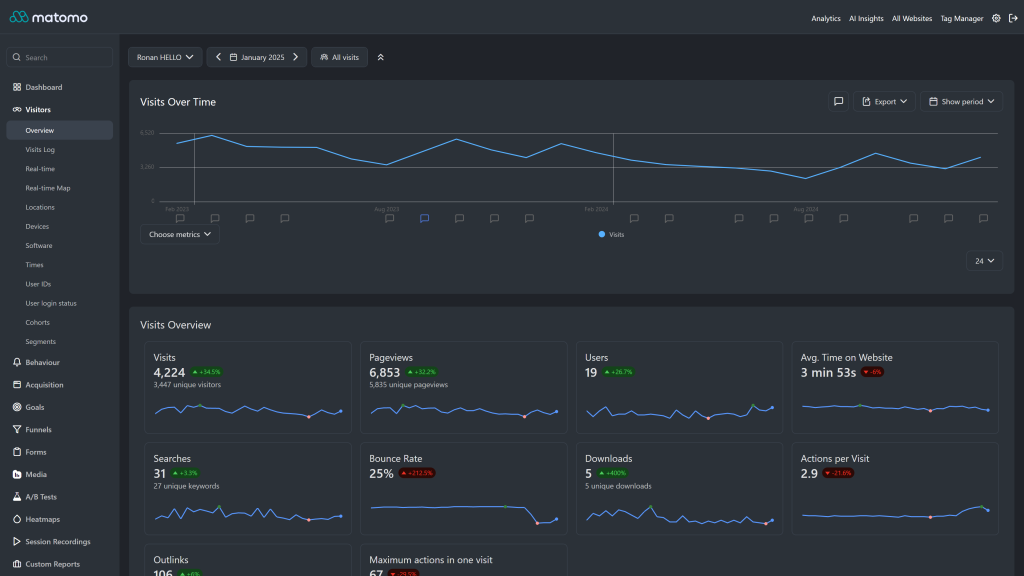
- Charts and maps: sparklines, bar, pie and evolution graphs, the Real-time Map and the Visitor Map render on dark backgrounds with readable data colors.
- Readable report emails: scheduled report emails keep Matomo's light colors, so they display well in every mail client.
- Native theme API: colors are set through Matomo's
Theme.configureThemeVariablesevent, so core and third party plugins pick them up. Colors added by future Matomo releases fall back to their Matomo dark value. - Plugin support: Tag Manager, Funnels, Custom Reports, All Websites dashboard, Scheduled Reports, Transitions, AI chat plugins (ChatGPT, MistralAI) and more.
- Purely visual: no change to tracking, data or reports.
Requirements
- Matomo 6 (
>=6.0.0-b1,<7.0.0-b1) - PHP 8.1 or higher
- On Matomo 5, install Dark Theme 5.x instead (5.3.x for Matomo 5.10 or later, 5.2.x for Matomo 5.0 to 5.9).
Installation / Configuration
- Go to Administration > Platform > Marketplace, filter by Themes and search for "Dark Theme".
- Click Install, then Activate. The theme applies to every user immediately.
- If some elements still look light after an update, run
./console core:clear-cacheson the server, or emptytmp/assets/.
There are no settings. To let each user choose their own mode again, activate the default Matomo theme (Morpheus).
To adjust the palette, fork the plugin and edit the brand, surface, text and border scales in DarkTheme.php, or override the generated --theme-color-* CSS variables from your own plugin. See docs/index.md.
Need help with Matomo?
Openmost is an official Matomo Implementation Partner. We also build custom Matomo themes in your own brand colours and fonts, on the official theme API, in light and dark mode.
-
Dashboard in dark mode
-
Locations and visitor map in dark mode
-
Visitors overview in dark mode
Dark Theme transforms your Matomo Analytics interface into a modern dark experience, for every user. This documentation covers the theme architecture and how to customize it.
Dark for every user
Matomo 6 lets each user choose a light or dark mode in their personal settings. Dark Theme applies its dark palette to everyone instead:
- every theme color gets a single dark value, whatever mode the user picked,
- the page is rendered in dark mode, so the Matomo dark mode rules (icons, flags, charts, maps) apply as well,
- the mode stays dark when Matomo switches it in the browser, for example after saving the personal settings,
- the theme mode choice is hidden from the personal settings, as it has no effect while Dark Theme is active.
Scheduled report emails keep Matomo's light colors, so they stay readable in every mail client.
To let each user choose again, activate the default Matomo theme (Morpheus) under Administration > Themes.
Theme Architecture
All colors are configured in PHP through Matomo's Theme.configureThemeVariables event. LESS files are kept only for the few areas that need targeted overrides on top of the variables provided by Matomo core.
DarkTheme/
├── DarkTheme.php          # Palette and dark mode for every user
├── plugin.json            # Theme metadata (requires Matomo 6)
├── vue/
│   ├── src/ThemeModeLock/ # Keeps the dark mode in the browser
│   └── dist/              # Built library (Matomo Vite build)
└── stylesheets/
    ├── theme.less         # Main entry point
    ├── layout/
    │   └── _main.less     # Layout-level rules (e.g. scrollbar)
    ├── pages/
    │   └── _login.less    # Login & onboarding overrides
    └── components/
        ├── _activity_log.less
        ├── _admin.less
        ├── _alert.less
        ├── _copy_clipboard.less
        ├── _custom_reports.less
        ├── _entity_list.less
        ├── _funnels.less
        ├── _input.less
        ├── _jqplot.less
        ├── _multi_sites.less
        ├── _notification.less
        ├── _period_selector.less
        ├── _personal_settings.less
        ├── _scheduled_reports.less
        ├── _segment.less
        ├── _sidebar.less
        ├── _tag_manager.less
        ├── _visitor_profile.less
        ├── _visits_log.less
        └── _widget.less
PHP Theme Variables
DarkTheme.php registers a configureThemeVariables listener and assigns values to \Piwik\Plugin\ThemeStyles. The values are exposed by Matomo core as CSS custom properties (e.g. --theme-color-background-base) and are used throughout the UI.
The palette is split into four scales:
Brand
- primary: #4a6fc7
- primaryLight: #6b8fd9 (used for links, focus ring, selected menu)
Surfaces (lightest to darkest)
- surfaceOverlay: #3a424d (popovers, hover backgrounds, code blocks)
- surfaceRaised: #2b3138 (widgets, cards, header background)
- surfaceBase: #202329 (page background)
- surfaceGround: #181a1f (deepest layer)
Text (most prominent to faded)
- textPrimary: #ffffff
- textSecondary: rgba(255, 255, 255, 0.85)
- textTertiary: rgba(255, 255, 255, 0.65)
- textDisabled: rgba(255, 255, 255, 0.40)
Borders
- borderSubtle: #3a424d
- borderStrong: #4a525d
These local variables feed the official ThemeStyles properties: colorBrand, colorSuccess, colorText*, colorBackground*, colorBorder*, colorWidget*, colorMenuContrast*, colorHeader*, colorLink, colorFocusRing, colorCode*, colorBoxShadow, shadowOverlay and filterOnIllustration (which inverts white illustrations so they look right on a dark background). Any color the palette does not set uses the Matomo dark value.
Customizing Colors
The recommended way to customize the palette is to fork the plugin and adjust the variables in DarkTheme.php:
private function applyPalette(ThemeStyles $vars): void
{
    $vars->colorBrand            = '#your-brand-color';
    $vars->colorBackgroundBase   = '#your-background-color';
    $vars->colorBackgroundContrast = '#your-widget-color';
    // ...
}
You can also override the generated CSS variables from your own stylesheet:
:root {
  --theme-color-brand: #your-brand-color;
  --theme-color-background-base: #your-background-color;
}
After changing any value, clear Matomo's caches (./console core:clear-caches, or empty tmp/assets/).
Component Overrides
Each file in stylesheets/components/ targets a specific area of Matomo where the default core CSS does not pick up the theme variables cleanly:
- Charts (
_jqplot.less): series picker popover - Forms (
_input.less,_multi_sites.less): input and select colors - Visitor reports (
_visits_log.less,_visitor_profile.less,_activity_log.less): timeline and profile colors - Plugin support:
_funnels.less,_tag_manager.less,_custom_reports.less,_scheduled_reports.less - UI chrome:
_sidebar.less,_admin.less,_widget.less,_alert.less,_notification.less,_segment.less,_entity_list.less,_copy_clipboard.less,_period_selector.less,_personal_settings.less
Compatibility
Dark Theme Matomo 6.x 6 5.3.x 5.10 or later 5.2.x 5.0 to 5.9 1.x 4Contributing
To contribute:
- Fork the GitHub repository
- Add or refine variables in
DarkTheme.phpfirst; only fall back to LESS overrides when a setting is not exposed byThemeStyles - Test across Matomo's main screens (Dashboard, Visitors > Overview, Behaviour, Acquisition, Admin, Tag Manager, Funnels)
- Submit a pull request
Credits
- Theme by Openmost
Installation
How do I install this theme?
- Go to your Matomo Administration panel
- Navigate to Marketplace > Themes
- Search for "Dark Theme"
- Click Install and then Activate
Alternatively, download from GitHub and extract to your plugins/ directory.
Is the theme active for all users?
Yes. When activated, the Dark Theme applies to all users on your Matomo instance, whatever theme mode they picked in their personal settings.
Which Matomo versions are supported?
- Dark Theme 6.x supports Matomo 6.
- Dark Theme 5.3.x requires Matomo 5.10.0 or later.
- Dark Theme 5.2.x supports Matomo 5.0 to 5.9.
- For Matomo 4.x, use Dark Theme version 1.x.
Matomo dark mode
Matomo 6 has a dark mode, why use Dark Theme?
In Matomo 6, each user chooses a light or dark mode, and the default is light. Dark Theme gives the whole team the same dark interface, with Openmost's dark palette, without asking every user to change their settings.
Why is the theme mode option missing from my personal settings?
Dark Theme applies the dark mode to every user, so the option has no effect and is hidden. It comes back when the default Matomo theme is activated.
Can a user still choose the light mode?
No, not while Dark Theme is active. To let each user choose, activate the default Matomo theme (Morpheus) under Administration > Themes.
Are the scheduled report emails dark too?
No. Report emails keep Matomo's light colors: many mail clients force a white background, where light text would not be readable.
Compatibility
Does it work with Matomo plugins?
Yes. The theme is designed to work with official Matomo plugins including: - Tag Manager - Funnels - Heatmaps & Session Recording - AI Chats (ChatGPT, MistralAI) - Custom Reports - Multi Sites Dashboard - Scheduled Reports - Transitions - And more
Will it conflict with other themes?
No. Only one theme can be active at a time. The Dark Theme replaces the default styling without modifying any HTML structure.
Does it affect tracking or data collection?
No. This is a purely visual theme. It does not modify tracking code, data collection, or any Matomo functionality.
Customization
Can I customize the colors?
Yes. All colors are configured in PHP via Matomo's Theme.configureThemeVariables event. The recommended approach is to fork the plugin and edit the palette in DarkTheme.php:
$vars->colorBrand              = '#your-brand-color';
$vars->colorBackgroundBase     = '#your-page-background';
$vars->colorBackgroundContrast = '#your-widget-background';
You can also override the generated CSS variables from a custom stylesheet:
:root {
  --theme-color-brand: #your-brand-color;
  --theme-color-background-base: #your-page-background;
}
Remember to clear Matomo's cache after any change.
Where are the style files located?
- Color configuration:
DarkTheme.php - LESS overrides:
stylesheets/(entry point:theme.less) - Per-component overrides:
stylesheets/components/
Troubleshooting
Charts or maps don't look right
Clear the Matomo caches: run ./console core:clear-caches on the server, or delete the files in the tmp/assets/ directory.
Some elements still appear light
This is usually a caching issue. Clear both Matomo's asset cache and your browser cache. If the problem persists, please report it on GitHub.
The theme stopped working after a Matomo update
We update the theme regularly to support new Matomo versions. Check for theme updates in the Marketplace. If no update is available yet, please open a GitHub issue.
My custom CSS overrides using --theme-color-widget-* or --theme-color-menu-contrast-* variables
These variables are deprecated since Matomo 6 and will be removed in Matomo 7. Prefer --theme-color-background-contrast, --theme-color-background-tinyContrast and --theme-color-text-highContrast.
Support & Contributing
How can I report a bug?
Open an issue on our GitHub repository with: - Matomo version - Dark Theme version - Browser and version - Screenshot of the issue
How can I contribute?
Fork the repository, make your changes (prefer adjusting DarkTheme.php over adding new LESS overrides when possible), test on the main Matomo screens, and submit a pull request.
How long will this theme be maintained?
We actively use this theme on multiple production Matomo instances and are committed to maintaining compatibility with new Matomo releases.
Can you create a custom theme for my company?
Yes. Openmost builds custom Matomo themes in your own brand colours and fonts, on the official theme API. You can also contact us at ronan@openmost.com.
View and download this plugin for a specific Matomo version:
- Matomo 4.x
- Matomo 5.x
- Matomo 6.x (currently selected)