A modern dark theme for Matomo, applied to every user of the instance.
Features
- Dark for every user: every theme color gets a single dark value, so the whole team gets the same dark interface whatever light or dark mode each user picked.
- Complete coverage: every screen, widget, modal and component is styled, including the scrollbars.
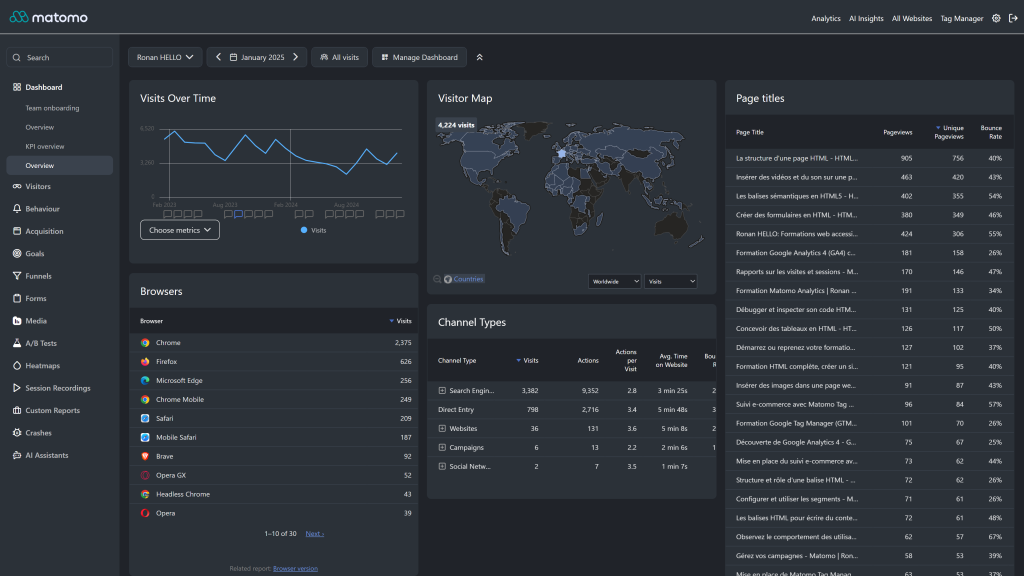
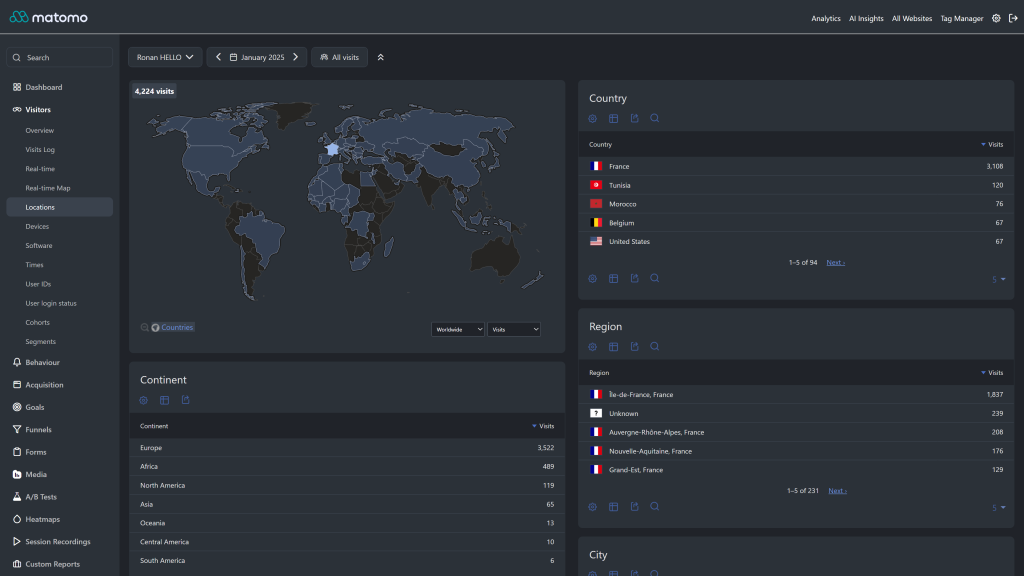
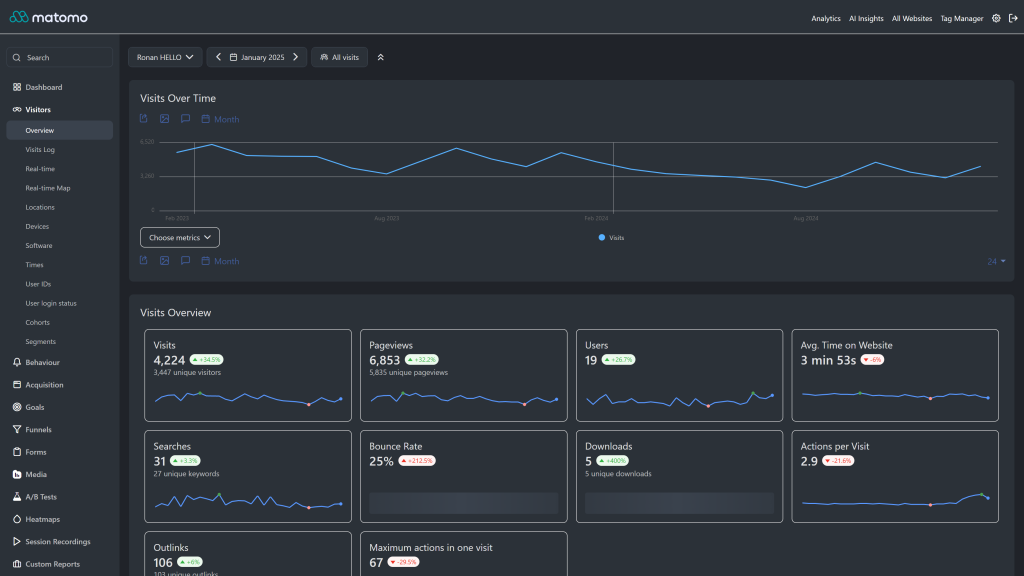
- Charts and maps: sparklines, bar, pie and evolution graphs, the Real-time Map and the Visitor Map render on dark backgrounds with readable data colors.
- Native theme API: colors are set through Matomo's
Theme.configureThemeVariablesevent, so core and third party plugins pick them up. - Plugin support: Tag Manager, Funnels, Custom Reports, All Websites dashboard, Scheduled Reports, Transitions, AI chat plugins (ChatGPT, MistralAI) and more.
- Purely visual: no change to tracking, data or reports.
Requirements
- Matomo 5.10.0 or later, up to Matomo 6 excluded (
>=5.10.0,<6.0.0-b1) - For Matomo 5.0 to 5.9, install Dark Theme 5.2.x. On Matomo 6, install Dark Theme 6.x.
Installation / Configuration
- Go to Administration > Platform > Marketplace, filter by Themes and search for "Dark Theme".
- Click Install, then Activate. The theme applies to every user immediately.
- If some elements still look light after an update, run
./console core:clear-cacheson the server, or emptytmp/assets/.
There are no settings. To go back to the default look, activate the default Matomo theme (Morpheus).
To adjust the palette, fork the plugin and edit the brand, surface, text and border scales in DarkTheme.php, or override the generated --theme-color-* CSS variables from your own plugin. See docs/index.md.
Need help with Matomo?
Openmost is an official Matomo Implementation Partner. We also build custom Matomo themes in your own brand colours and fonts, on the official theme API, in light and dark mode.
-
Dashboard in dark mode
-
Locations and visitor map in dark mode
-
Visitors overview in dark mode
Dark Theme transforms your Matomo Analytics interface into a modern dark experience. This documentation covers the theme architecture and how to customize it.
Theme Architecture
Since version 5.3.0, all colors are configured in PHP through Matomo's Theme.configureThemeVariables event. LESS files are kept only for the few areas that need targeted overrides on top of the variables provided by Matomo core.
DarkTheme/
├── DarkTheme.php          # Theme variable configuration
├── plugin.json            # Theme metadata (requires Matomo >= 5.10)
└── stylesheets/
    ├── theme.less         # Main entry point
    ├── _variables.less    # Local LESS variables (optional)
    ├── layout/
    │   └── _main.less     # Layout-level rules (e.g. scrollbar)
    ├── pages/
    │   └── _login.less    # Login & onboarding overrides
    └── components/
        ├── _activity_log.less
        ├── _admin.less
        ├── _alert.less
        ├── _copy_clipboard.less
        ├── _custom_reports.less
        ├── _dropdown.less
        ├── _entity_list.less
        ├── _funnels.less
        ├── _input.less
        ├── _jqplot.less          # Chart canvas, tooltips, axes
        ├── _multi_sites.less
        ├── _notification.less
        ├── _period_selector.less
        ├── _scheduled_reports.less
        ├── _segment.less
        ├── _sidebar.less
        ├── _tag_manager.less
        ├── _transitions_report.less
        ├── _visitor_profile.less
        ├── _visits_log.less
        └── _widget.less
PHP Theme Variables
DarkTheme.php registers a configureThemeVariables listener and assigns values to \Piwik\Plugin\ThemeStyles. The values are exposed by Matomo core as CSS custom properties (e.g. --theme-color-background-base) and are used throughout the UI.
The palette is split into four scales:
Brand
- primary: #4a6fc7
- primaryLight: #6b8fd9 (used for links, focus ring, selected menu)
- primaryLighter: #8aa8e6
- primaryDark: #3450a3
Surfaces (lightest > darkest)
- surfaceOverlay: #3a424d (popovers, hover backgrounds, code blocks)
- surfaceRaised: #2b3138 (widgets, cards, header background)
- surfaceBase: #202329 (page background)
- surfaceGround: #181a1f (deepest layer / scrollbar track)
Text (most prominent > faded)
- textPrimary: #ffffff
- textSecondary: rgba(255, 255, 255, 0.85)
- textTertiary: rgba(255, 255, 255, 0.65)
- textDisabled: rgba(255, 255, 255, 0.40)
Borders
- borderSubtle: #3a424d
- borderStrong: #4a525d
These local variables feed the official ThemeStyles properties: colorBrand, colorText*, colorBackground*, colorBorder*, colorWidget*, colorMenuContrast*, colorHeader*, colorLink, colorFocusRing, colorCode*, colorBoxShadow, and filterOnIllustration (which inverts white illustrations so they look right on a dark background).
Customizing Colors
The recommended way to customize the palette is to fork the plugin and adjust the variables in DarkTheme.php:
public function configureThemeVariables(Plugin\ThemeStyles $vars)
{
    $vars->colorBrand            = '#your-brand-color';
    $vars->colorBackgroundBase   = '#your-background-color';
    $vars->colorWidgetBackground = '#your-widget-color';
    // ...
}
You can also override the generated CSS variables from your own stylesheet:
:root {
  --theme-color-brand: #your-brand-color;
  --theme-color-background-base: #your-background-color;
}
After changing any value, clear Matomo's caches (./console core:clear-caches, or empty tmp/assets/).
Component Overrides
Each file in stylesheets/components/ targets a specific area of Matomo where the default core CSS does not pick up the theme variables cleanly:
- Charts (
_jqplot.less): canvas backgrounds, gridlines, tooltips - Forms & dropdowns (
_input.less,_dropdown.less): input backgrounds, autocomplete panels - Visitor reports (
_visits_log.less,_visitor_profile.less,_activity_log.less): timeline and profile colours - Plugin support:
_funnels.less,_tag_manager.less,_custom_reports.less,_multi_sites.less,_scheduled_reports.less,_transitions_report.less - UI chrome:
_sidebar.less,_admin.less,_widget.less,_alert.less,_notification.less,_segment.less,_entity_list.less,_copy_clipboard.less,_period_selector.less
Compatibility
Dark Theme 5.3.x requires Matomo 5.10.0 or later because it relies on the extended ThemeStyles API.
Contributing
To contribute:
- Fork the GitHub repository
- Add or refine variables in
DarkTheme.phpfirst; only fall back to LESS overrides when a setting is not exposed byThemeStyles - Test across Matomo's main screens (Dashboard, Visitors > Overview, Behaviour, Acquisition, Admin, Tag Manager, Funnels)
- Submit a pull request
Credits
- Theme by Openmost
Installation
How do I install this theme?
- Go to your Matomo Administration panel
- Navigate to Marketplace > Themes
- Search for "Dark Theme"
- Click Install and then Activate
Alternatively, download from GitHub and extract to your plugins/ directory.
Is the theme active for all users?
Yes. When activated, the Dark Theme applies to all users on your Matomo instance. Individual users cannot switch between themes.
Which Matomo versions are supported?
- Dark Theme 5.3.x requires Matomo 5.10.0 or later (uses the extended
ThemeStylesAPI). - Dark Theme 5.2.x supports Matomo 5.0 to 5.9.
- On Matomo 6, use Dark Theme 6.x.
- For Matomo 4.x, use Dark Theme version 1.x.
Compatibility
Does it work with Matomo plugins?
Yes. The theme is designed to work with official Matomo plugins including: - Tag Manager - Funnels - Heatmaps & Session Recording - AI Chats (ChatGPT, MistralAI) - Custom Reports - Multi Sites Dashboard - Scheduled Reports - Transitions - And more
Will it conflict with other themes?
No. Only one theme can be active at a time. The Dark Theme completely replaces the default styling without modifying any HTML structure.
Does it affect tracking or data collection?
No. This is a purely visual theme. It does not modify tracking code, data collection, or any Matomo functionality.
Customization
Can I customize the colors?
Yes. Since version 5.3.0, all colors are configured in PHP via Matomo's Theme.configureThemeVariables event. The recommended approach is to fork the plugin and edit DarkTheme.php:
$vars->colorBrand            = '#your-brand-color';
$vars->colorBackgroundBase   = '#your-page-background';
$vars->colorWidgetBackground = '#your-widget-background';
You can also override the generated CSS variables from a custom stylesheet:
:root {
  --theme-color-brand: #your-brand-color;
  --theme-color-background-base: #your-page-background;
}
Remember to clear Matomo's cache after any change.
Where are the style files located?
- Color configuration:
DarkTheme.php(inconfigureThemeVariables()) - LESS overrides:
stylesheets/(entry point:theme.less) - Per-component overrides:
stylesheets/components/
Can I modify specific components?
Yes. The component files in stylesheets/components/ each target a focused area (visitor log, sidebar, dropdowns, charts, plugin-specific UIs, etc.). Edit the relevant file and clear the asset cache.
Troubleshooting
Charts or maps don't look right
Clear the Matomo caches: run ./console core:clear-caches on the server, or delete the files in the tmp/assets/ directory.
Some elements still appear light
This is usually a caching issue. Clear both Matomo's asset cache and your browser cache. If the problem persists, please report it on GitHub.
The theme stopped working after a Matomo update
We update the theme regularly to support new Matomo versions. Check for theme updates in the Marketplace. If no update is available yet, please open a GitHub issue.
I just upgraded to Dark Theme 5.3 and the install fails
Dark Theme 5.3 requires Matomo 5.10.0 or later. Either upgrade Matomo or stay on Dark Theme 5.2.x until you can.
My custom CSS variable overrides stopped working after upgrading to 5.3
The internal variable names changed when colors moved from local CSS custom properties to Matomo's ThemeStyles system. Override the official --theme-color-* variables (e.g. --theme-color-brand, --theme-color-background-base) instead of the previous --primary / --dark names.
Support & Contributing
How can I report a bug?
Open an issue on our GitHub repository with: - Matomo version - Dark Theme version - Browser and version - Screenshot of the issue
How can I contribute?
Fork the repository, make your changes (prefer adjusting DarkTheme.php over adding new LESS overrides when possible), test on the main Matomo screens, and submit a pull request.
How long will this theme be maintained?
We actively use this theme on multiple production Matomo instances and are committed to maintaining compatibility with new Matomo releases.
Can you create a custom theme for my company?
Yes. Openmost builds custom Matomo themes in your own brand colours and fonts, on the official theme API. You can also contact us at ronan@openmost.com.
View and download this plugin for a specific Matomo version:
- Matomo 4.x
- Matomo 5.x (currently selected)
- Matomo 6.x